

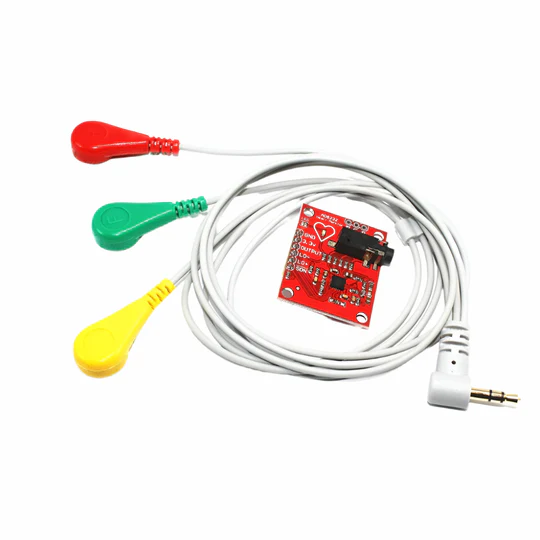
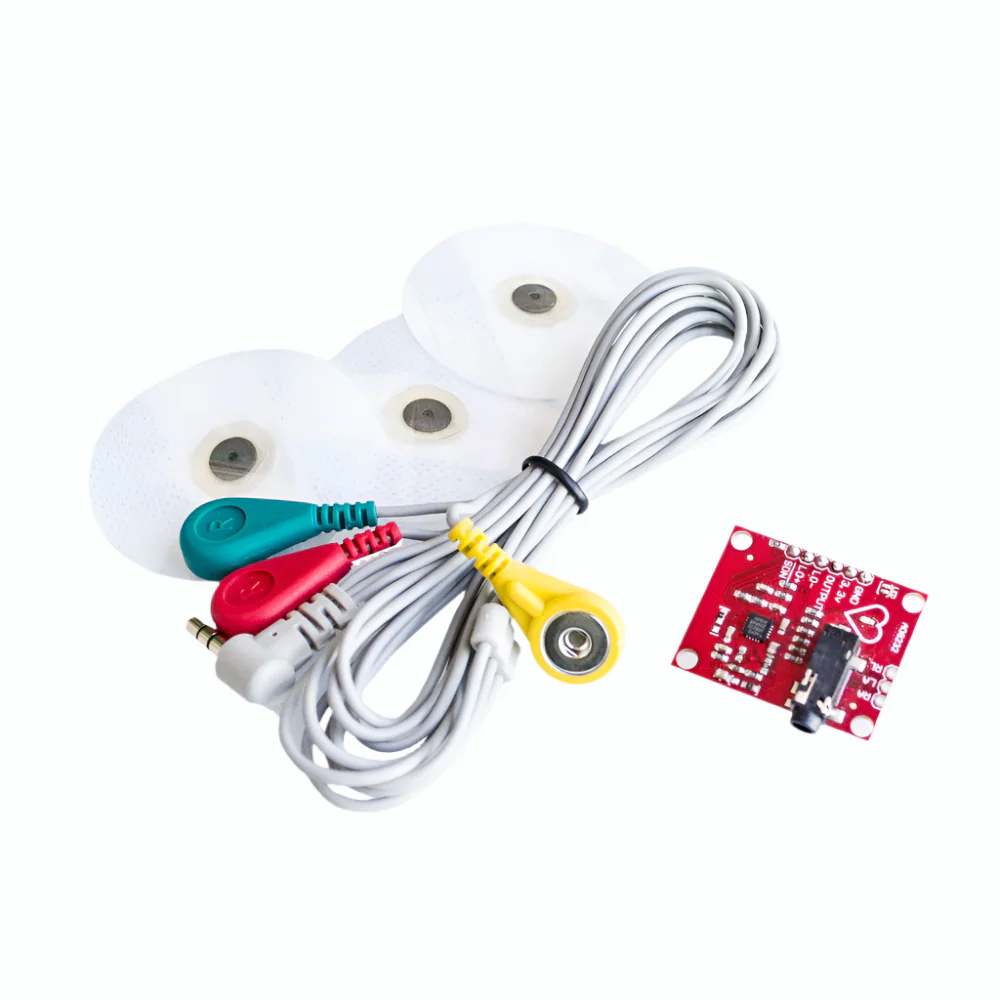
Description
Technical Details
- Operating Temperature: -40 to 90°C
- Length: 36mm
- Width: 30mm
- Height: 18mm
- Weight: 30g
- Cable Length: 1m
Features
- Designed to extract, amplify, and filter small biopotential signals in the presence of noisy conditions, such as those created by motion or remote electrode placement.
- A single Lead Heart Rate Monitor is a cost-effective board used to measure the electrical activity of the heart.
- AD8232 is an integrated signal conditioning block for ECG and other biopotential measurement applications.
- ECGs can be extremely noisy, the AD8232 Single Lead Heart Rate Monitor acts as an op-amp to help obtain a clear signal from the PR and QT Intervals easily.
- This electrical activity can be charged as an ECG or Electrocardiogram and output as an analog reading.
- Leads-Off Detection.
- Shutdown Pin.
- LED Indicator.
- Analog Output.
- 3.5 mm Jack for Biomedical Pad Connection.
Applications :
- Heart Rate Monitoring: Measure heart rate in real-time
- ECG Signal Acquisition: Capture and analyze ECG signals
- Fitness & Health Tracking: Use in wearable fitness devices
- Biomedical Signal Processing: Process ECG data for analysis
- Wearable Health Devices: Integrate into smart health gadgets
- Medical Research & Development: Useful for healthcare studies
- Student & Hobbyist Projects: Ideal for learning and experimentation
- IoT-Based Health Monitoring: Connect to smart healthcare systems
Steps
- Go to the “Attachments” section of the product webpage
- Download and unzip the ZIP file
- Copy the folder into the Arduino folder or “Libraries” folder
- Open the Software folder
- Navigate to “Heart_Rate_Display_Arduino”
- Open the Arduino file in Arduino IDE
- Compile and upload the program
- Check the output in Serial Plotter
Integration with Arduino

Sample Code
| import processing.serial.*; |
| //https://kitsguru.com/products/ecg-module-ad8232-ecg-measurement-pulse-heart-ecg-monitoring-sensor-module-kit |
| Serial myPort; // The serial port |
| int xPos = 1; // horizontal position of the graph |
| float height_old = 0; |
| float height_new = 0; |
| float inByte = 0; |
| int BPM = 0; |
| int beat_old = 0; |
| float[] beats = new float[500]; // Used to calculate average BPM |
| int beatIndex; |
| float threshold = 620.0; //Threshold at which BPM calculation occurs |
| boolean belowThreshold = true; |
| PFont font; |
| void setup () { |
| // set the window size: |
| size(1000, 400); |
| // List all the available serial ports |
| println(Serial.list()); |
| // Open whatever port is the one you’re using. |
| myPort = new Serial(this, Serial.list()[2], 9600); |
| // don’t generate a serialEvent() unless you get a newline character: |
| myPort.bufferUntil(‘\n‘); |
| // set inital background: |
| background(0xff); |
| font = createFont(“Ariel“, 12, true); |
| } |
| void draw () { |
| //Map and draw the line for new data point |
| inByte = map(inByte, 0, 1023, 0, height); |
| height_new = height – inByte; |
| line(xPos – 1, height_old, xPos, height_new); |
| height_old = height_new; |
| // at the edge of the screen, go back to the beginning: |
| if (xPos >= width) { |
| xPos = 0; |
| background(0xff); |
| } |
| else { |
| // increment the horizontal position: |
| xPos++; |
| } |
| // draw text for BPM periodically |
| if (millis() % 128 == 0){ |
| fill(0xFF); |
| rect(0, 0, 200, 20); |
| fill(0x00); |
| text(“BPM: “ + inByte, 15, 10); |
| } |
| } |
| void serialEvent (Serial myPort) |
| { |
| // get the ASCII string: |
| String inString = myPort.readStringUntil(‘\n‘); |
| if (inString != null) |
| { |
| // trim off any whitespace: |
| inString = trim(inString); |
| // If leads off detection is true notify with blue line |
| if (inString.equals(“!“)) |
| { |
| stroke(0, 0, 0xff); //Set stroke to blue ( R, G, B) |
| inByte = 512; // middle of the ADC range (Flat Line) |
| } |
| // If the data is good let it through |
| else |
| { |
| stroke(0xff, 0, 0); //Set stroke to red ( R, G, B) |
| inByte = float(inString); |
| // BPM calculation check |
| if (inByte > threshold && belowThreshold == true) |
| { |
| calculateBPM(); |
| belowThreshold = false; |
| } |
| else if(inByte < threshold) |
| { |
| belowThreshold = true; |
| } |
| } |
| } |
| } |
| void calculateBPM () |
| { |
| int beat_new = millis(); // get the current millisecond |
| int diff = beat_new – beat_old; // find the time between the last two beats |
| float currentBPM = 60000 / diff; // convert to beats per minute |
| beats[beatIndex] = currentBPM; // store to array to convert the average |
| float total = 0.0; |
| for (int i = 0; i < 500; i++){ |
| total += beats[i]; |
| } |
| BPM = int(total / 500); |
| beat_old = beat_new; |
| beatIndex = (beatIndex + 1) % 500; // cycle through the array instead of using FIFO queue |
} //CREDITS : https://how2electronics.com/ecg-monitoring-with-ad8232-ecg-sensor-arduino/

Reviews
There are no reviews yet.